NetGen
NetGen Q11 Premium TV Box
NetGen Q11 Premium TV Box
Couldn't load pickup availability
Your premium NetGen TV experience starts here.
Meet the NetGen Q11: a dedicated TV box that brings together the NetGen TV app preinstalled, free remote support, 32 GB of storage, and a programmable TV remote. It is the premium NetGen option for customers who want a prepared device, convenient everyday controls, and a real person to help when they need it.
Settle into your favorite seat. Open NetGen TV. Enjoy having your viewing experience and your support in one place.
This purchase is for the hardware with the NetGen TV app preinstalled. A NetGen TV service subscription is required and sold separately.
Free remote support comes with your Q11.
Questions during setup? An app setting you cannot find? Something that needs troubleshooting? NetGen can help you work through it remotely, with your permission. You get practical help from someone who can guide you through the Q11 and NetGen TV experience.
- Help getting started: guidance with setup and finding your way around the app.
- Help when something needs attention: assistance with settings and troubleshooting.
- Connected assistance: with an internet connection and your authorization, we can connect to the box to help.
Getting help is straightforward: contact NetGen, authorize the remote connection when needed, and let us guide you through the next steps. Free remote support is included with your Q11 purchase.
NetGen TV is already installed.
Your Q11 arrives with the NetGen TV app in place, saving you the app installation step. Connect the box to your TV and internet, open NetGen TV, and sign in with your active service account.
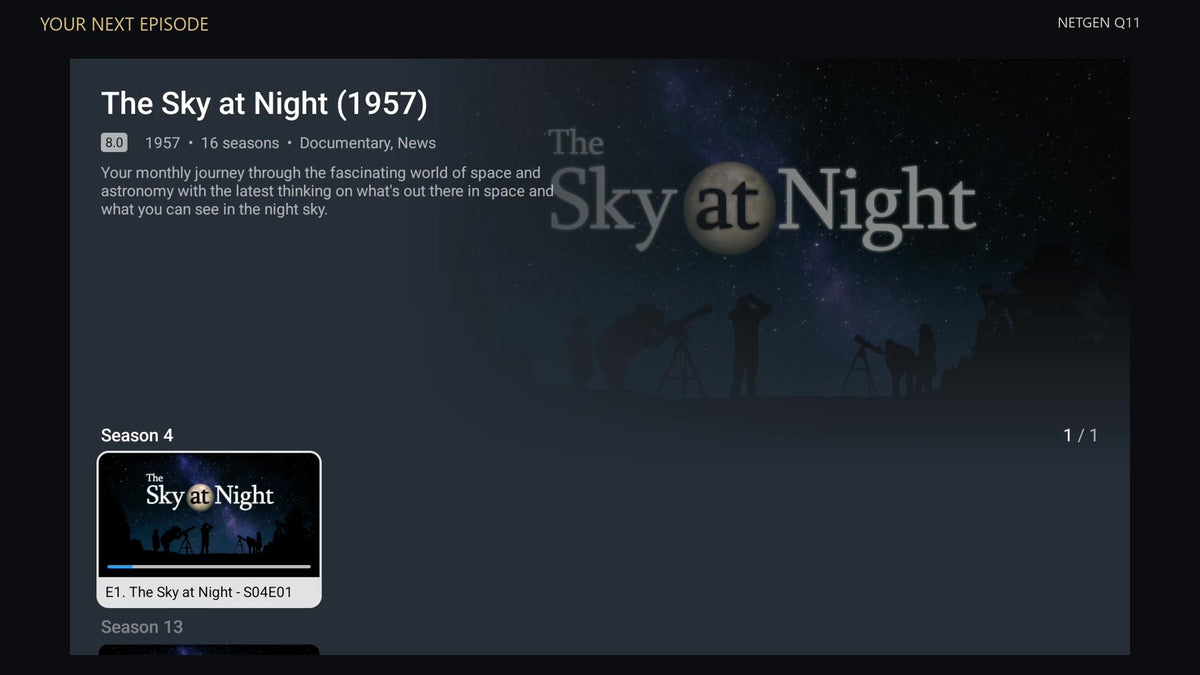
Browse the live TV guide, explore movies and series, find your favorites, and access supported recordings from an interface designed for the television. The gallery and product video show the app running on our Q11, so you can see how its guide and browsing screens are arranged.
More room for your TV setup.
32 GB of built-in storage gives you room for apps and recordings where your service and settings support them. The Q11 also includes 4 GB of memory and runs Android 14, with an Amlogic S905X4 quad-core processor at its core.
Choose dual-band Wi-Fi for convenient placement or use the built-in Ethernet connection for a wired setup. USB 3.0 and USB 2.0 ports provide additional connection options.
Usable storage is lower after the operating system and apps. Recording availability and capacity depend on your service, settings, content, and free space.
One remote for the controls you use every day.
The included remote combines a familiar number pad and navigation controls with programmable buttons for your compatible TV's power, volume, and input. Program those TV controls once, then use the same remote to navigate your Q11 and handle everyday TV adjustments.
TV controls require programming and a compatible television.
Why choose the NetGen Q11?
- A prepared NetGen device: the NetGen TV app comes preinstalled.
- Help is part of the package: free remote support for setup questions and troubleshooting.
- Room to do more: 32 GB advertised storage and 4 GB RAM.
- Convenient TV controls: programmable power, volume, and input for compatible TVs.
- Flexible connections: built-in Ethernet, dual-band Wi-Fi, and USB ports.
If you want a dedicated NetGen TV box with personal assistance behind it, the Q11 brings those advantages together in one package.
Q11 at a glance
| App | NetGen TV preinstalled |
|---|---|
| Support | Free remote support included |
| Storage | 32 GB eMMC advertised capacity |
| Memory | 4 GB DDR3 RAM |
| Operating system | Android 14 |
| Processor | Amlogic S905X4, quad-core |
| Video output | Up to 4K at 60 fps with compatible content, apps, and display |
| Network | 2.4 GHz / 5 GHz Wi-Fi and built-in Ethernet |
| USB | USB 3.0 and USB 2.0 |
| Remote | Included; programmable compatible-TV power, volume, and input |
| Service subscription | Required; sold separately |
Before you order
Is a NetGen TV subscription included?
No. This is a hardware purchase with the NetGen TV app preinstalled. Your NetGen TV subscription is purchased separately. Preinstallation does not activate a service account.
What do I need to get started?
A television with an available HDMI input, an internet connection, and an active NetGen TV service account. Connect the Q11 to your TV and power, connect to Wi-Fi or Ethernet, and open the preinstalled app to sign in.
Can NetGen help after the box arrives?
Yes. Free remote support is included. Contact NetGen for assistance with setup, app settings, or troubleshooting. Remote assistance requires an internet connection and your permission.
Can I record programs?
The app provides access to recording features where supported by your service and configuration. Available recording space depends on free storage and video quality; a fixed number of recording hours is not promised.
Will every app or program play in 4K?
Resolution depends on the content, app, service, display, and connection. The Q11's maximum output capability does not guarantee a particular resolution in every app.
NetGen Q11. The app is ready. The help is included.
Share