IBO Player Pro on Formuler
Follow this guide to connect your NetGen TV service using IBO Player Pro on Formuler.
Look for “Your NetGen TV login details” or “Your NetGen TV trial is ready.” It contains your username, password, expiry and number of simultaneous streams. Check spam or junk if it has not arrived. Your service login is separate from your Shopify customer account.
Install IBO Player Pro on Formuler
On your Formuler device, open the Google Play Store, search for IBO Player Pro, and select Install → Open.
If the app is unavailable for your model, return to your device’s app choices to select another supported player.
Find your device details
Open Account and note the device MAC and device key.
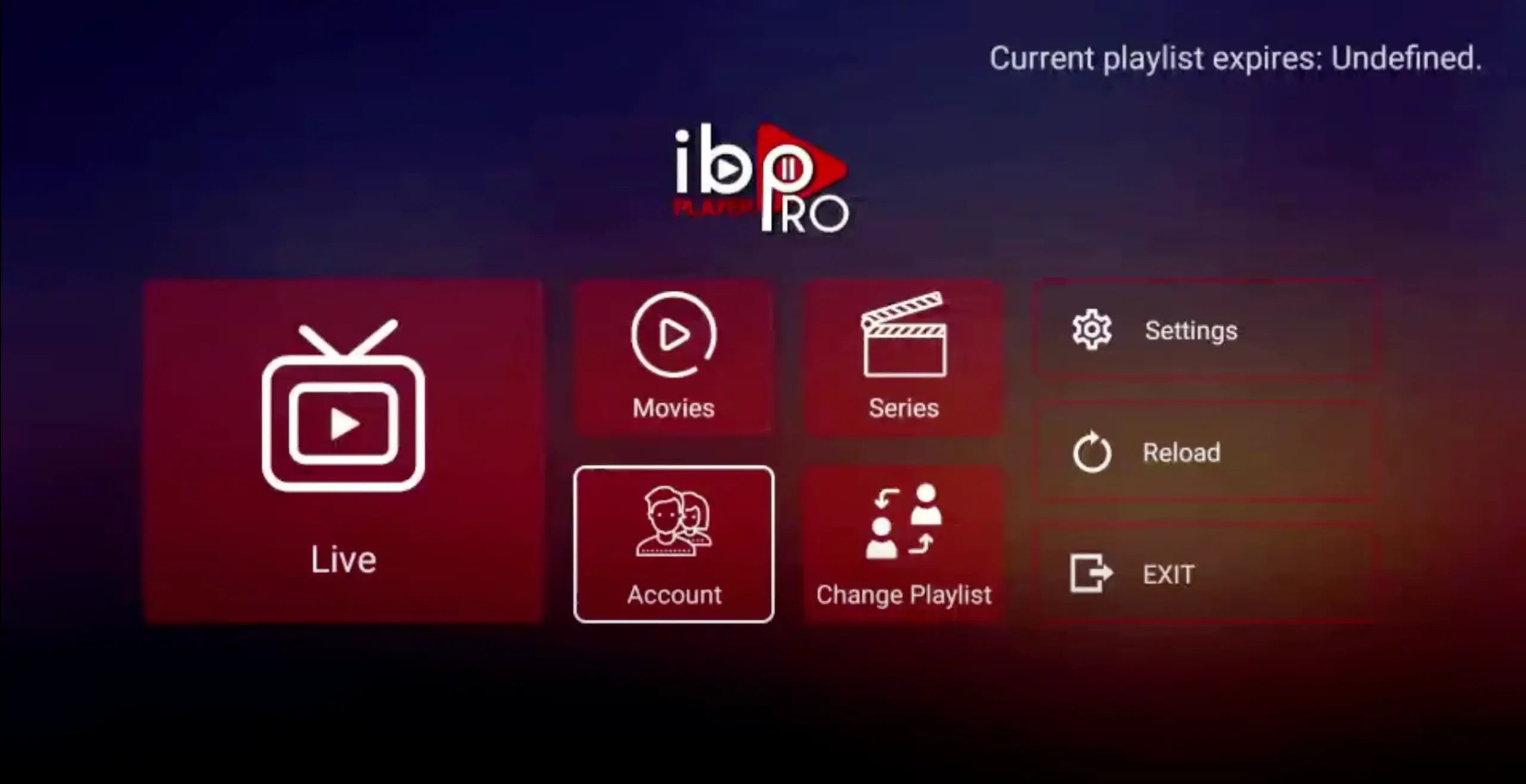
Open Account in your player. Appearance varies by version. 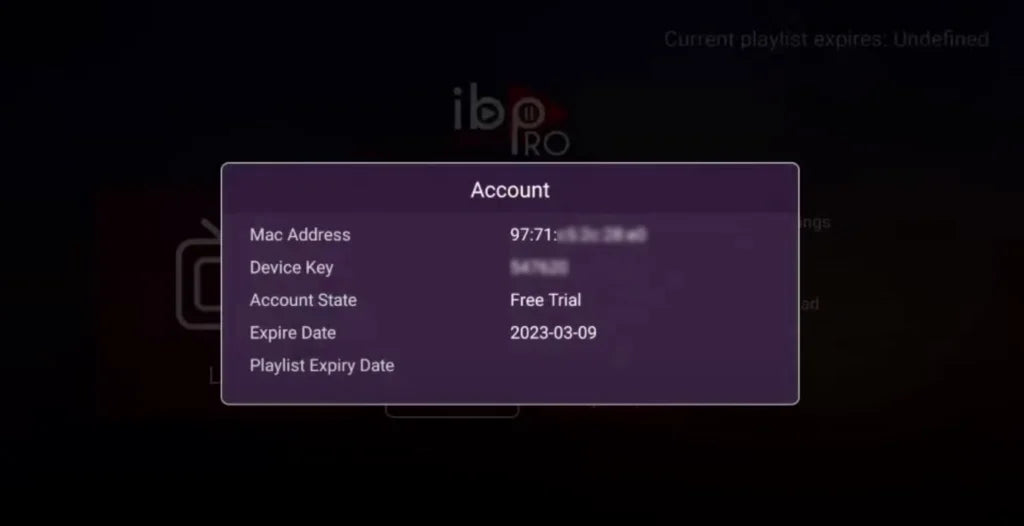
Use the details from your own device; example details are concealed. Open Manage Playlists
On your phone or computer, visit the management website shown by the app. For the player displaying iboproapp.com, open that site, choose Manage Playlists, enter your device MAC and key, then select Login.
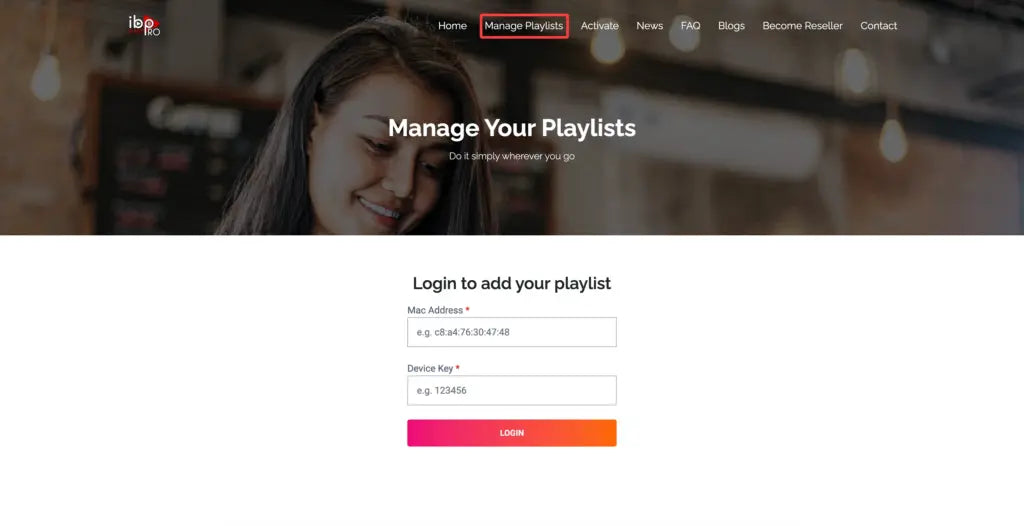
Enter the device details displayed on your TV. Add your NetGen subscription
Choose Add XC Playlist. Enter a profile name, your Playlist Host (server address), username and password from your NetGen TV login email, then select Submit.
Enter these details from your email
- Profile / playlist name
- NetGen TV
- Username
- Your emailed service username
- Password
- Your emailed service password
- Server / host / portal URL
- The first server address in your login email, entered exactly as shown
Choose Xtream Codes API when your player offers a login method. Do not paste a server address into an M3U field. If your app only accepts M3U, reply to your login email for help.
Restart and choose the playlist
Restart the player on your TV. Choose Continue → Change Playlists where shown, select your NetGen playlist and allow it to load.
The player may require its own license after a trial. That license is separate from your NetGen TV service subscription.
