Set up a MAG box or StbEmu
Portal-based devices need a registered device MAC and the correct portal address from NetGen support.
Look for “Your NetGen TV login details” or “Your NetGen TV trial is ready.” It contains your username, password, expiry and number of simultaneous streams. Check spam or junk if it has not arrived. Your service login is separate from your Shopify customer account.
Register your device
Reply to your NetGen login email with your device model and the MAC shown by your MAG box or StbEmu profile. Ask us to confirm portal activation and supply the correct portal URL before continuing.
A portal URL is not necessarily the same as an Xtream Codes server address.
Enter the portal
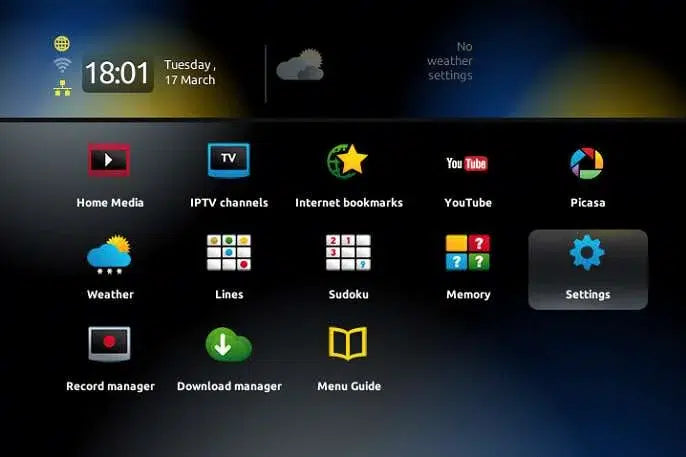
Open Settings from the MAG home screen. 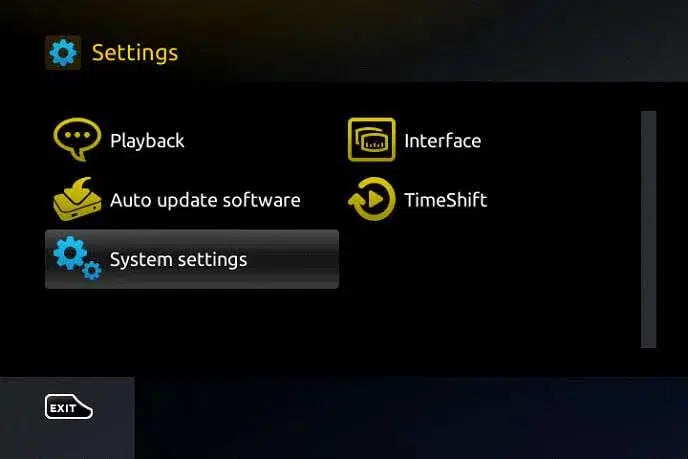
Choose System settings. 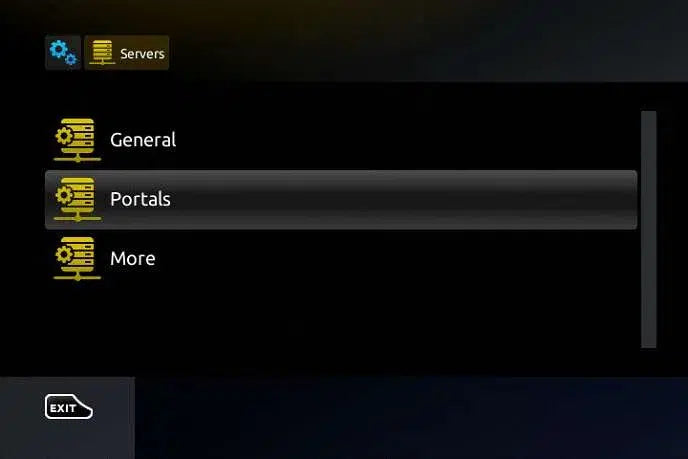
Under Servers, choose Portals. On a MAG box, open Settings → System settings → Servers → Portals. Set Portal 1 name to NetGen TV and Portal 1 URL to the address supplied by support. Save with OK.
For StbEmu, open your profile settings, enter the supplied address in Portal settings, and ensure the profile’s device MAC is the one registered with support. Menu labels depend on the StbEmu version.
Restart the portal
Exit settings and restart or reload the portal. Keep the device connected while the channel list loads. If a MAG box has time-related issues, check its time zone and NTP server in the general server settings.
